How long does app development take? For most business apps the honest answer is a few months from an agreed scope to a live store listing, with the range decided far more by scope, integrations and how quickly decisions get made than by the engineers' typing speed. A small app with one user type and no unusual integrations sits at the short end. An app with payments, offline use, several roles, and connections to existing systems sits at the long end. Everything in this post is about where your project falls and what you can do about it.
Two things are worth saying up front. First, the engineering effort and the calendar time are different numbers, and the calendar is usually longer, because approvals, content, device access and store review all sit on the critical path. Second, the timeline published by any agency, including ours, assumes a dedicated team and a client who answers questions. Both assumptions are worth checking against your own situation.
App development timeline by type of app
Rather than answer how long does app development take with a single number, which would be a guess about an app we have not seen, here is what moves each type of app along the range.
| Type of app | What it usually contains | Where it sits on the timeline | What stretches it |
|---|---|---|---|
| Simple utility or content app | A few screens, sign-in, content from a backend, push notifications | Short end | Content delays, design revisions |
| Internal business app | Forms, lists, approvals, role-based access, offline capture | Short to middle | Integration with existing systems, device policy |
| Booking or ordering app | Catalogue, basket, payment, order status, notifications | Middle | Payment provider setup, edge cases around refunds and cancellations |
| Marketplace or multi-sided app | Two or more user types, matching, payments and payouts, messaging, reviews | Long end | Payout compliance, moderation, building for both sides |
| App with hardware or maps | Bluetooth, camera, GPS tracking, maps and routing | Middle to long | Device testing, battery and background behaviour, permissions |
| Regulated app | Health, finance or children's data; audit trails, consent, identity checks | Long end | Compliance review, security testing, documentation |
The pattern is that the timeline is set by the rules behind the screens and the systems outside the app, not by the number of screens. A ten-screen app with no integrations is often faster to build than a three-screen app that talks to a legacy stock system.
How long does app development take, phase by phase
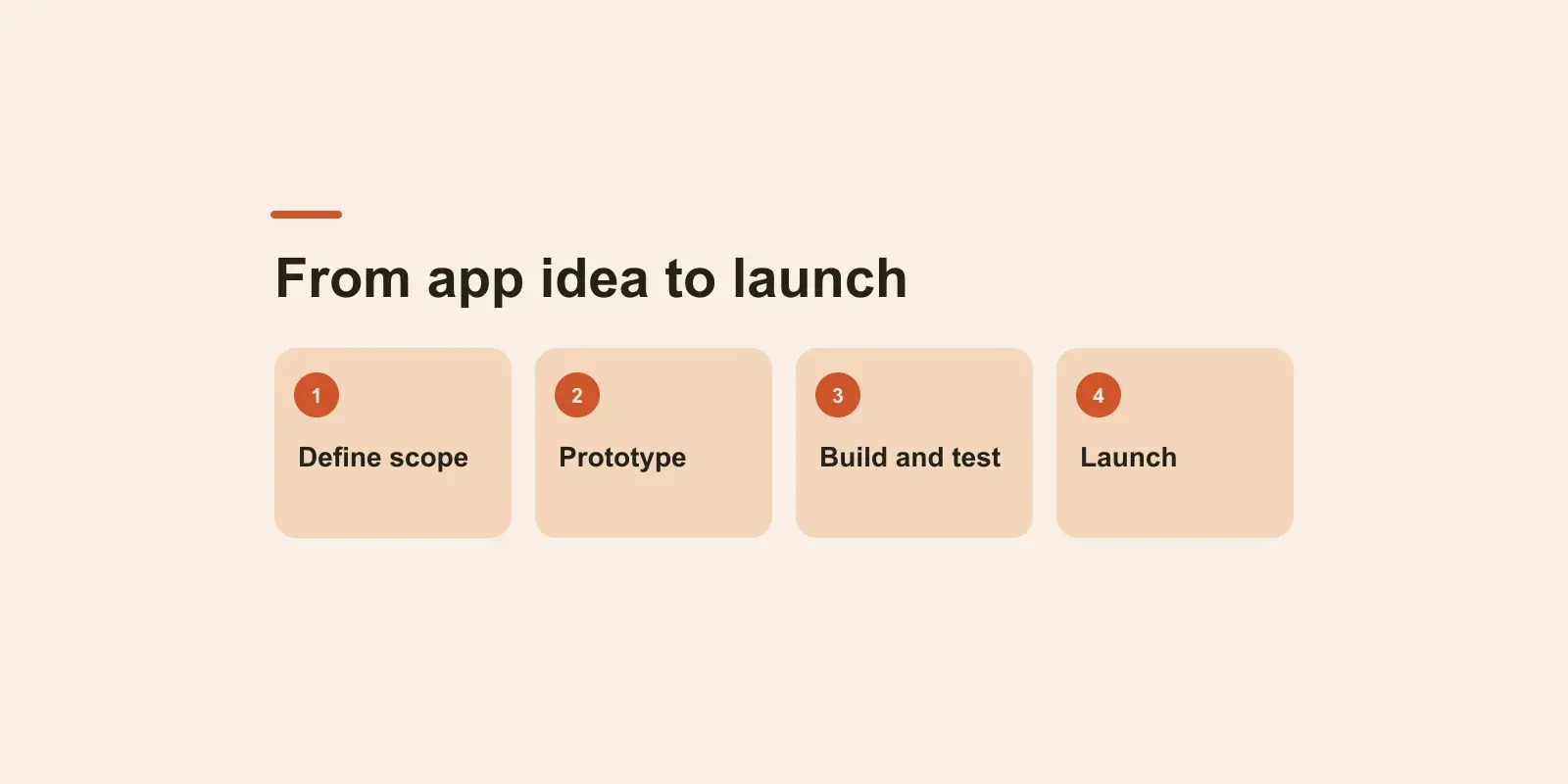
Here is the sequence we follow, with what happens in each phase and what it depends on. The phases overlap in practice, but each has a gate that the next one waits on.
Phase 1: Discovery and scope
Discovery is where "how long does app development take" gets a real answer for your app. The output is a written scope: user types, the outcomes each one needs, the integrations, the data, the constraints, and a split between the first release and later ones. This phase is short when the brief is good and long when it is not. If you have not yet written one, a brief like the one in how to write a software project brief is the fastest way to shorten it. The gate is your sign-off on scope.
Phase 2: Design
Flows first, then screens. A clickable prototype lets you test the app with a few real users before any code exists, which is the cheapest point to change your mind. The gate is approved designs for the first release. The common delay is design by committee: each round of feedback from a new stakeholder adds a cycle.
Phase 3: Build, in two-week sprints
The backend, the app itself, and the integrations are built in parallel where possible. We work in two-week sprints with a demo of working software at the end of each, so you can steer and so that problems show early. The sprint count is what the written estimate is built on. Mobile app development time in this phase is driven by integrations, offline behaviour, payments and anything that touches device hardware.
Phase 4: Testing and hardening
Testing happens throughout the build, but there is still a phase at the end for testing on real devices, across operating system versions, under poor connectivity, and against the edge cases that only appear with real data. This is also when performance, accessibility and security checks happen. It is the phase most often squeezed when a deadline looms, and the one that most reliably costs more later if it is.
Phase 5: Store submission and release
Store listings, screenshots, privacy declarations, age ratings, test accounts for reviewers and compliance material are prepared, the app is submitted, and the review happens. Apple and Google each publish their review guidelines, and both can reject an app for reasons that have nothing to do with code quality: missing privacy text, a sign-in flow the reviewer cannot complete, a listing that overclaims. A rejection adds a cycle. Preparing the listing material during the build, not after it, removes most of that risk. We handle App Store and Play Store submission as part of our mobile app development work for exactly this reason.
Phase 6: The first weeks live
Crash reports, reviews and real usage arrive, and there is almost always a point release within weeks. Plan for it in the timeline and the budget rather than treating launch day as the finish.
What makes app development take longer
The answer to how long does app development take is usually decided here. When an app development timeline slips, it is rarely because the engineers were slow. These are the causes we see most, roughly in order of how often they appear.
- Decisions that wait. Scope sign-off, design approval, choosing between two options the team has presented. Every day of waiting is a day on the calendar, and often a day the team is paid for.
- Scope that grows. New features added mid-build without removing anything, usually because a stakeholder saw a demo and had ideas. Demos are for steering, and steering sometimes means saying "later".
- Integrations. Third-party systems with no sandbox, APIs that behave differently from their documentation, credentials that take weeks to obtain, and legacy systems with no API at all. Each one belongs in the plan with its own line and its own risk.
- Payments. Setting up a payment provider, passing its onboarding checks, handling refunds, disputes and failed payments, and testing in a sandbox. Our post on payment gateway integration cost for a mobile app covers why this is bigger than it looks.
- Content and data. Product catalogues, legal text, images, and existing data that has to be migrated and cleaned. The app can be finished and still not launchable without them.
- Device and platform testing. The app that works on the developer's phone and fails on an older Android device with a smaller screen and a different keyboard.
- Store review. Short most of the time, unpredictable some of the time, and a rejection adds a round trip.
- Compliance. Health, finance and children's apps need consent flows, data handling and sometimes external review, and those take time to get right.
Notice how many of these are on the client side of the table. The most useful thing you can do for the timeline is to name one decision-maker who can answer within a day, and to start gathering content, credentials and compliance material in the discovery phase rather than at the end.
One platform or two?
A large part of how long does app development take is whether you are building for one platform or two. If your users are on both iOS and Android, building with a cross-platform framework such as Flutter or React Native means one codebase for both, with extra time for platform-specific testing, store assets and two submissions. That is the default for most business apps and it does not come close to doubling the timeline.
Building natively for each platform makes sense when the app depends heavily on platform features (advanced camera, background processing, tight integration with the operating system) or when performance demands justify it. It does add significant time, because there are two apps to build and test.
A third option, when the audience allows it, is one platform first. An internal app for a company that issues iPhones, or a consumer app whose early users are mostly on one platform, can launch on that platform, learn from real use, and add the second platform with a better product. Whether you need a native app at all, rather than a web app your users open in a browser, is a separate question worth asking in discovery before any platform decision is made.
How to shorten app development time without cutting testing
The levers that genuinely change the answer to how long does app development take are all about doing less or deciding faster, not about pushing engineers harder.
- Launch smaller. The strongest lever. A first release with the few features that prove the app is useful, with the rest planned for releases that follow. Our post on what you pay for in an MVP explains how to pick that first set.
- Use existing services for commodity parts. Sign-in, payments, push notifications, maps, analytics and crash reporting are all solved. Building them yourself adds weeks and risk.
- Decide in a day. One person with authority, available to the team, is the cheapest acceleration there is.
- Start the store material early. Listings, privacy text, screenshots and reviewer accounts prepared during the build, so that submission happens the day the release candidate is ready.
- Get integration access in week one. Credentials, sandboxes and contacts at the other end of every integration, before the sprint that needs them.
- Test continuously. Automated tests on the rules that matter and a build on real devices every sprint mean the testing phase at the end confirms rather than discovers.
What does not shorten the timeline: adding engineers late (they take weeks to become productive and slow the people who onboard them), skipping design (you pay for it in rebuilt screens), and cutting the testing phase (you pay for it in the first weeks live, publicly, in reviews).
How to read a vendor's app development timeline
When you receive a proposed timeline, check four things. Does it list the phases and the gates, so you can see what waits on you? Does it name the integrations and the assumptions behind each one? Does it include store submission and a release after launch, or does it end at "code complete"? And does it show working software every sprint, so that you can tell in week four whether week twelve is realistic? A timeline that answers all four is one you can hold the vendor to, and one that answers how long does app development take for your app rather than for an average one.
If you have an app in mind and a date you are working towards, book a free 30-minute discovery call. A senior engineer will talk through the scope and the date with you, and we will send a written approach, timeline and estimate within two business days.