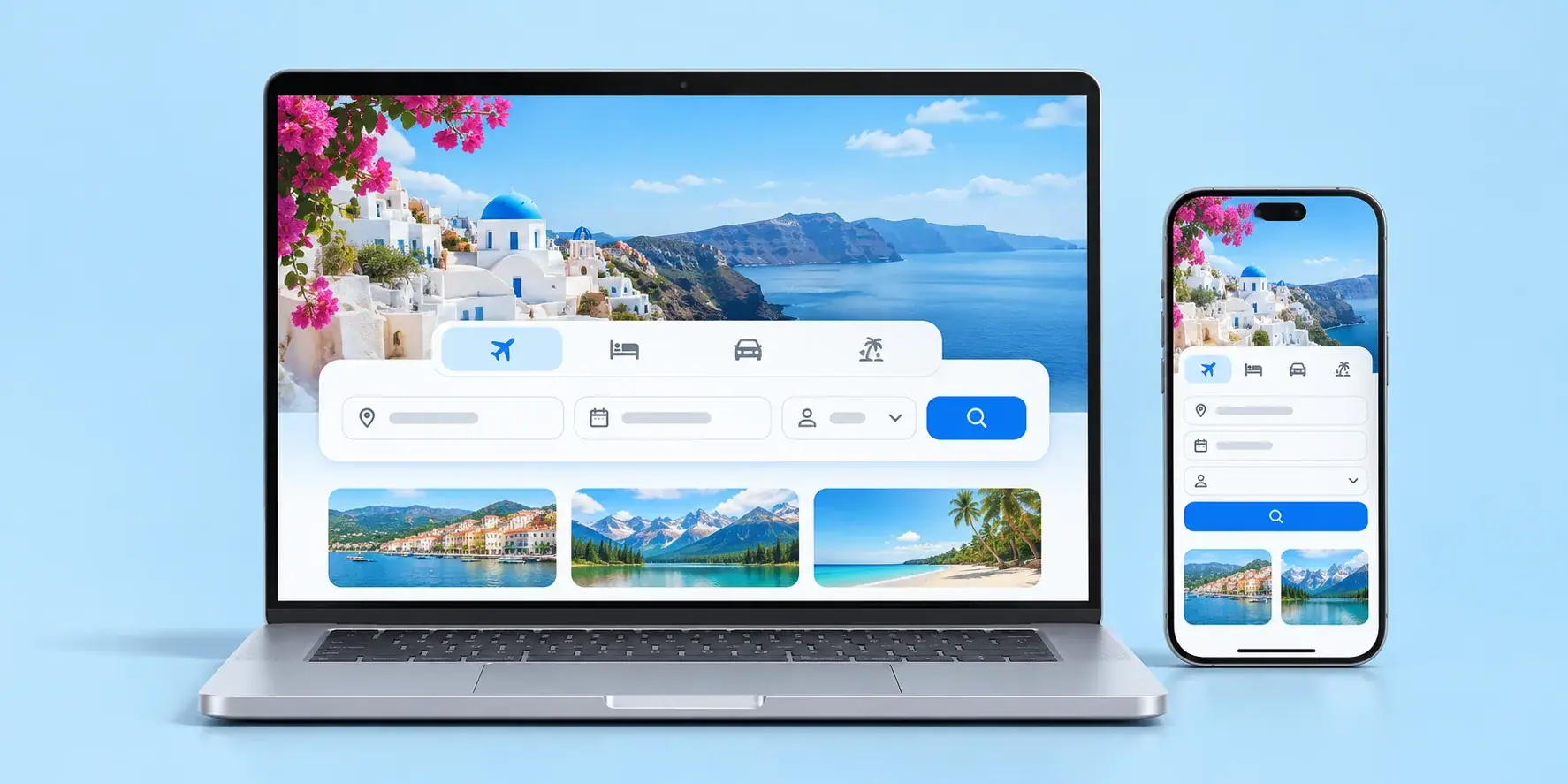
In the web app vs mobile app decision, most new products should start with a web app: one codebase that runs on every device with a browser, no app store review, and updates that reach every user the moment you deploy. Build a mobile app first when the product depends on device features browsers handle poorly, such as background location, Bluetooth hardware or all-day camera use, or when your users expect to open it many times a day from their home screen. Between the two sit progressive web apps and cross-platform frameworks, which narrow the gap but do not close it. The rest of this guide covers the factors that decide it, with a comparison table and a "start here if" summary at the end.
Website, web app or mobile app: the terms first
Founders often ask "should I build an app or a website?" when they mean something more specific. It helps to separate four things:
- A website mostly presents information: pages, articles, a contact form.
- A web app is software that runs in the browser: users sign in, create things, and the app remembers them. Think dashboards, booking systems, portals.
- A native mobile app is installed from the App Store or Google Play and built for one platform, in Swift for iOS or Kotlin for Android.
- A cross-platform app is also installed from the stores, but one codebase produces both the iOS and Android versions.
A progressive web app, or PWA, is a web app with extra abilities: it can be installed to the home screen, work offline and send notifications. More on its limits below.
If what you need is mostly information, you need a website, and the question ends there. Everything that follows is for products where people log in and do work.
Six factors that decide web app vs mobile app
1. Where your users are when they need you
This is the factor that settles most cases. Picture the moment someone uses your product.
If they are at a desk, doing their job, with a keyboard, a web app wins. Back-office tools, B2B dashboards, reporting and anything with heavy data entry are far more comfortable on a large screen.
If they are on the move, using it in short bursts several times a day, a mobile app starts to make sense. Delivery drivers, field technicians, fitness trackers and messaging all fit that pattern.
Also consider how people arrive. A web app has a URL: it can be found through search, shared in an email, and opened in a second. A mobile app asks people to visit a store, install, and sign in before they see anything. That friction is fine for a tool someone uses daily. It is a real cost for something they will try once to decide whether they like it.
2. The device features you actually need
Browsers can do far more than they used to. A modern web app can use the camera, get the user's location while the page is open, read files, take payments and, in many cases, send notifications.
Where the web is still weaker:
- Background work. Tracking location while the app is closed, geofencing and reliable background sync are native territory, especially on iPhone.
- Hardware connections. Bluetooth and NFC from the browser are patchy, and iPhone browsers are generally the limiting factor.
- Deep OS integration. Widgets, health data, system share sheets and similar features need a native or cross-platform app.
- Push on iPhone. Web push works there only after the user adds the app to the home screen and grants permission.
Write down the features your first version truly needs, then check them against this list. Many teams discover that everything on their list works in a browser.
3. Distribution and app store review
Publishing to the App Store or Google Play means every release passes through a review you do not control. Reviews are usually routine, but a rejection over guidelines can delay a launch or an urgent fix. The stores also have rules about selling digital goods inside apps, including fees, that have been changing in several regions. Check the current rules for your category before you plan your pricing.
In exchange, the stores give you a trusted install path and a place people already look for apps. For some consumer products that discoverability matters. For most B2B products it barely registers, because customers arrive through sales or a link.
4. How fast you need to ship changes
On the web, you deploy and every user has the new version on their next page load. That speed is a major advantage early on, when you are learning what to build and changing things weekly.
On mobile, an update goes through review and then waits for each user to install it. In practice you will have several versions in use at once, so your backend has to keep supporting older apps. Some cross-platform setups can push small changes over the air within the store rules, but anything touching native code goes back through review.
5. Offline use
If people need the product with no signal, such as in a warehouse, on a farm or underground, offline support moves up the list. Native and cross-platform apps handle this most reliably.
PWAs can cache screens and store data on the device, which covers a lot of cases. Browsers can clear that storage under pressure, though, and background syncing is limited on iPhone. Either way, the hard part of offline is not storage. It is deciding what happens when two people change the same record while disconnected. Plan that as a product decision, not a technical afterthought.
6. Budget for one platform or two
Mobile rarely means one thing to build. Two native apps means two codebases, two sets of skills and two release processes. Almost every mobile product also needs a backend and a web admin panel for the business side.
So the honest comparison is web app plus backend against mobile app plus web admin plus backend. As an example only: if the user-facing client is about a third of the total effort, adding a second native client adds roughly another third, while the backend stays shared. Put your own estimates in and the shape of the decision becomes clear quickly.
Progressive web apps: a middle path with honest limits
A PWA is the cheapest way to get an app-like experience on phones. One codebase, a URL, no store review, installable from the browser, offline-capable and able to send notifications on most devices.
The limits are worth stating plainly:
- Installing on iPhone is manual. Users tap Share and then Add to Home Screen. There is no store page and, in Safari, no automatic install prompt, so many people never do it.
- Device access stops at the browser's edge. Everything listed under factor 2 still applies.
- The stores are not a default channel. Android allows web apps to be packaged for Google Play. Apple's review guidelines push back on apps that are little more than a wrapped website.
- Users do not look for them. People expect apps in stores, and a PWA needs you to tell them it exists.
A PWA is a strong choice when your users are on phones but the features fit within the browser. It is also a sensible way to learn how people use your product on mobile before committing to store apps. Our web application development work includes PWAs for exactly this reason.
Cross-platform app development
Cross-platform frameworks such as Flutter and React Native produce iOS and Android apps from one codebase. For most business and consumer apps they feel native to users, reach device features through plugins, and cost noticeably less to maintain than two separate apps.
The trade-offs are real but manageable. You still go through both app stores. You still need someone who understands each platform for the edge cases. And you depend on plugins being kept up to date as iOS and Android change.
Fully native development in Swift and Kotlin makes sense when the product lives on deep device features, heavy graphics, or platform polish users will notice. We explain how we weigh that choice on our mobile app development page.
Web app vs mobile app: side-by-side comparison
| Web app | Progressive web app | Cross-platform app | Native apps | |
|---|---|---|---|---|
| How users get it | Open a URL | URL, then optional install | App store install | App store install |
| Codebases | One | One | One for iOS and Android | One per platform |
| Device features | Common ones, while open | Common ones, some offline | Most, via plugins | All |
| App store review | None | None by default | Every release | Every release |
| Update speed | Instant | Instant | Review, then user installs | Review, then user installs |
| Offline | Limited | Good for many cases | Strong | Strong |
| Push on iPhone | No | After home screen install | Yes | Yes |
| Found through search and links | Yes | Yes | Mostly through stores | Mostly through stores |
| Relative build effort | Lowest | Low | Medium | Highest |
Start here if...
Start with a web app if your users work at a desk, your product is B2B or data-heavy, people will find you through search or links, or you are still testing the idea and expect to change it often.
Start with a PWA if your users are mostly on phones, they come back regularly, and every feature you need works in a browser.
Start with a cross-platform app if the product is a daily habit, push notifications on iPhone are essential, you need background location, Bluetooth or heavy camera use, or a store presence matters to your customers.
Start with native apps if the product depends on deep device integration, demanding graphics, or platform-specific polish that is part of what you are selling.
Plan for both if you expect to need web and mobile eventually. Say a logistics company wants drivers to record deliveries with photos in areas with weak signal, while dispatchers plan routes on desktops. That is a cross-platform app for drivers and a web app for the office, sharing one backend. Build that backend with a clean API from the first day, and the second client becomes a new front end, not a rebuild.
Before you decide
Write down three things: where your users are when they use the product, the device features your first version truly needs, and how often you expect to change it in the first few months. Those answers usually point clearly to one column of the table above. If you are still shaping that first version, our MVP development guide covers what to build first and what to leave out.
If they do not, or you want a second opinion, book a free 30-minute discovery call. We will tell you which option we would start with and why, and follow up with a written estimate within two business days.