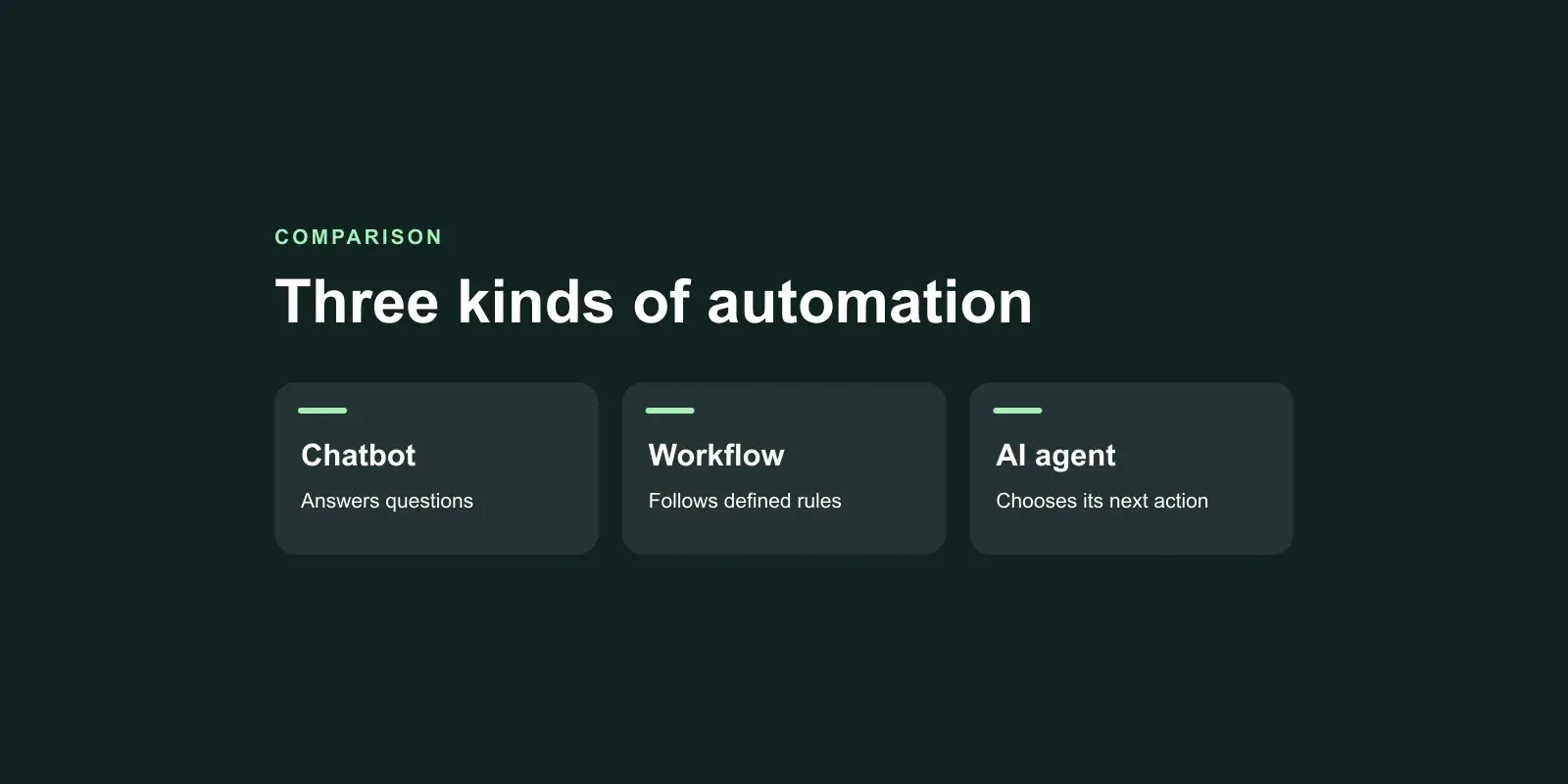
The difference in AI agent vs chatbot vs workflow automation comes down to one question: who decides the next step? In workflow automation, you do, in advance, as fixed rules. In a chatbot, the user does, by asking the next question. In an AI agent, the software does, choosing which tool to use and what to do next as it goes. If you already know the path, build a workflow. If people need answers, a chatbot is enough. Reach for an agent only when the path genuinely changes from case to case.
The AI agent vs chatbot vs workflow automation distinction matters because "agent" has become a sales label for almost anything with a language model inside it. The label decides the price, the running cost and the risk, so it is worth getting right before you buy.
Chatbot, workflow, agent: who decides the next step
Here is AI agent vs chatbot vs workflow automation side by side.
| Workflow automation | Chatbot | AI agent | |
|---|---|---|---|
| Who decides the next step | Rules written in advance | The user, one question at a time | The software, at run time |
| Typical job | Move data, trigger actions, route approvals | Answer questions, guide a user, collect details | Complete a goal across several systems |
| Acts in other systems | Yes, along a fixed path | Rarely, or only on request | Yes, choosing which tools to call |
| Predictability | High: same input, same result | Medium: answers vary in wording | Lower: the path can vary |
| Running cost per task | Low | Per conversation | Per decision, often several model calls |
| Testing | Ordinary software tests | Question sets and conversation review | Scenario tests, logs, human review |
| Main risk | Breaks on inputs nobody planned for | Wrong or invented answers | Wrong actions taken confidently |
Workflow automation
A workflow is a series of steps with rules: when a form is submitted, create a record, email the manager, and if the amount is over a limit, wait for approval. Tools like Zapier, Make and Power Automate build these without code; custom software builds them where the rules or volumes outgrow those tools. A workflow is the cheapest and most predictable of the three.
Chatbot
A chatbot talks. It answers questions from a knowledge base, walks a customer through a process, or gathers details and passes them on. Modern chatbots use language models and often retrieve answers from your documents, which is what we build in generative AI projects. The user stays in charge of where the conversation goes.
AI agent
An agent is given a goal and a set of tools, and decides how to reach the goal. It might read an email, look up the customer in the CRM, check an order in the ERP, decide a refund is due, draft the reply and ask a person to approve it. The order of those steps is not fixed in advance. That flexibility is the whole point, and also the whole risk.
When workflow automation beats an AI agent
The most useful lesson in the AI agent vs chatbot vs workflow automation debate is that many processes sold as agent projects are really workflows. Choose workflow automation when:
- You can draw the process as a flowchart. If every branch is known, rules handle it better than a model guessing at it.
- The same input must give the same result. Invoicing, payroll inputs, compliance steps and stock updates should not vary with a model's mood.
- Volume is high. A fixed rule costs almost nothing per run. A model call on every item adds up.
- Auditors will ask why. A rule can be read and explained. A model's choice needs logs and reasoning to reconstruct.
- Errors are expensive. Fixed paths fail in known ways that can be tested before launch.
Agent vs workflow is often not either-or. A workflow can call a language model for one narrow job, such as extracting fields from an invoice or sorting incoming emails by type, and keep fixed rules for everything else. That design gives you most of the benefit of AI with very little of the unpredictability.
When a chatbot is enough
A chatbot is the right choice when the job is to inform, not to act. Typical examples:
- Answering staff questions about policies, products or procedures from your own documents.
- Handling routine customer questions on your site or WhatsApp, and handing over to a person when needed.
- Collecting details for a booking, quote or support ticket, then passing them to a workflow.
- Helping a user find the right page, product or form.
If the chatbot needs to take a simple action, such as creating a ticket, that is usually a single workflow step behind the chat, not an agent. The accuracy of a chatbot rests on its sources, so the expensive part is preparing and indexing documents well. Our breakdown of RAG system development cost covers where that budget goes.
Signs you actually need an AI agent
This is the hardest call in AI agent vs chatbot vs workflow automation. So, when do you need an AI agent? Look for these signs together, not one at a time:
- The path changes with each case. Two requests that look alike need different steps, and the right step depends on what the system finds along the way.
- The inputs are unstructured. Emails, documents, chat messages and notes that rules cannot reliably parse.
- The work spans several systems. Reading from one, checking another, writing to a third.
- Judgement is needed, but within limits. The decisions are ones a trained person makes quickly, with clear rules about when to escalate.
- A person can review the risky steps. Anything costly or irreversible can wait for approval.
- The volume justifies the build. Enough cases arrive that automating the judgement saves real time.
Examples that often fit: triaging and resolving support tickets that touch orders, billing and accounts; reconciling supplier invoices against orders and contracts where mismatches need investigation; preparing case files from documents and emails before a person decides. What is an AI agent for business, in practice? It is software that does the investigation and preparation a skilled person would, and hands over the decision where it matters.
If only one or two of those signs apply, a workflow with an AI step is probably cheaper and safer. Our guide to AI agent development cost explains why agents cost more to build and to run, and how to read a quote for one.
Mixing all three in one process
In real businesses, the answer to AI agent vs chatbot vs workflow automation is often all three, each doing the part it is good at. Take a customer support process:
- A chatbot answers the customer, finds the order and collects what went wrong.
- A workflow creates the ticket, attaches the order details and routes it by product and priority, using fixed rules.
- An agent investigates the harder tickets: it checks delivery records, payment status and past contacts, proposes a resolution and drafts the reply.
- A person approves refunds above a limit and anything the agent is unsure about.
- The workflow carries out the approved action and closes the ticket.
Designing it this way keeps the agent narrow. It only handles the part that needs judgement, with limited permissions and a clear hand-over rule, while fixed rules carry everything predictable. That keeps running costs down and makes the whole process easier to test and trust.
Questions to ask before choosing AI agent vs chatbot vs workflow automation
- Can we write the process down as rules? If yes, start with a workflow.
- Is the main job answering questions? If yes, start with a chatbot.
- Where exactly does a person currently use judgement, and how often?
- What is the worst action the software could take, and who approves it?
- How will we measure whether it is working after launch?
Choosing between an AI agent, a chatbot and a workflow
Decide by who should choose the next step. Fixed rules for known paths, a chatbot for questions, an agent only where cases genuinely differ and a person still checks the risky moves. Getting the AI agent vs chatbot vs workflow automation choice right usually saves more money than any later optimisation.
Our agentic AI work starts from the AI agent vs chatbot vs workflow automation question, and often ends with a smaller, cheaper design than the one first proposed. If you want a second opinion on a process you are thinking of automating, book a free 30-minute discovery call. A senior engineer will talk it through with you, and we send a written approach, timeline and estimate within two business days.